
Get the TK11 Mobile App for Fast, Secure, On-the-Go Play
Download TK11 app for faster play, verified access, and local-friendly support
Looking for TK11 app download? The TK11 mobile app gives quick logins, live cricket updates, and JILI slots in one place. It runs fast on weaker connections, saves data, and keeps you signed in with secure checks.
For a safe install every time, always use the TK11 Official Website. The package is lightweight, setup is simple, and support can guide you if anything feels unclear.
Reasons the TK11 mobile app fits daily play on data and Wi‑Fi
The TK11 mobile app keeps essentials close, reduces taps, and trims waiting time. It suits quick breaks and longer sessions on your phone.
Fast start times with lighter data use for everyday mobile connections
Open the app and reach your lobby in seconds. Smart caching and compact screens keep pages lean, so you spend less data while browsing markets and games.
Secure sign-in with biometrics, OTP, and smart device checks
Protect your account with fingerprint or Face ID and one-time codes. TK11 login supports device checks and name matching on your profile for added trust.
Cricket center for scores, markets, and match notifications in one place
Follow cricket schedules, live scores, and specials without switching tabs. Set match alerts so you never miss first ball or a price swing.
JILI slots and popular games tuned for smooth, responsive touch
Spin JILI slots and other favorites with quick loads and steady performance. Return to recent games instantly and keep your balance visible while you play.
New to TK11? Quick signup and verified profile from the start
Create your account in minutes with clear prompts and document checks. Use TK11 Register to finish signup and prepare your profile for future payments.
Step-by-step guide to download, install, and sign in on your phone
Start from the official link or trusted page and look for the TK11 App Download prompt that matches your device.
- Open your mobile browser and visit the official TK11 site’s app page.
- For Android, tap Download APK and wait for the file to complete.
- When prompted, allow your browser to install apps from this source.
- Open the TK11 apk, tap Install, then Open when it finishes.
- Accept notifications if asked so you receive score updates and offers.
- For iOS, choose the iOS option. If available on App Store, tap Get. If shown a profile install, follow the on-screen steps from the official site.
- Launch the app and complete TK11 login or create a new account.
- Check your profile details. Ensure your account name matches your payment name before depositing.
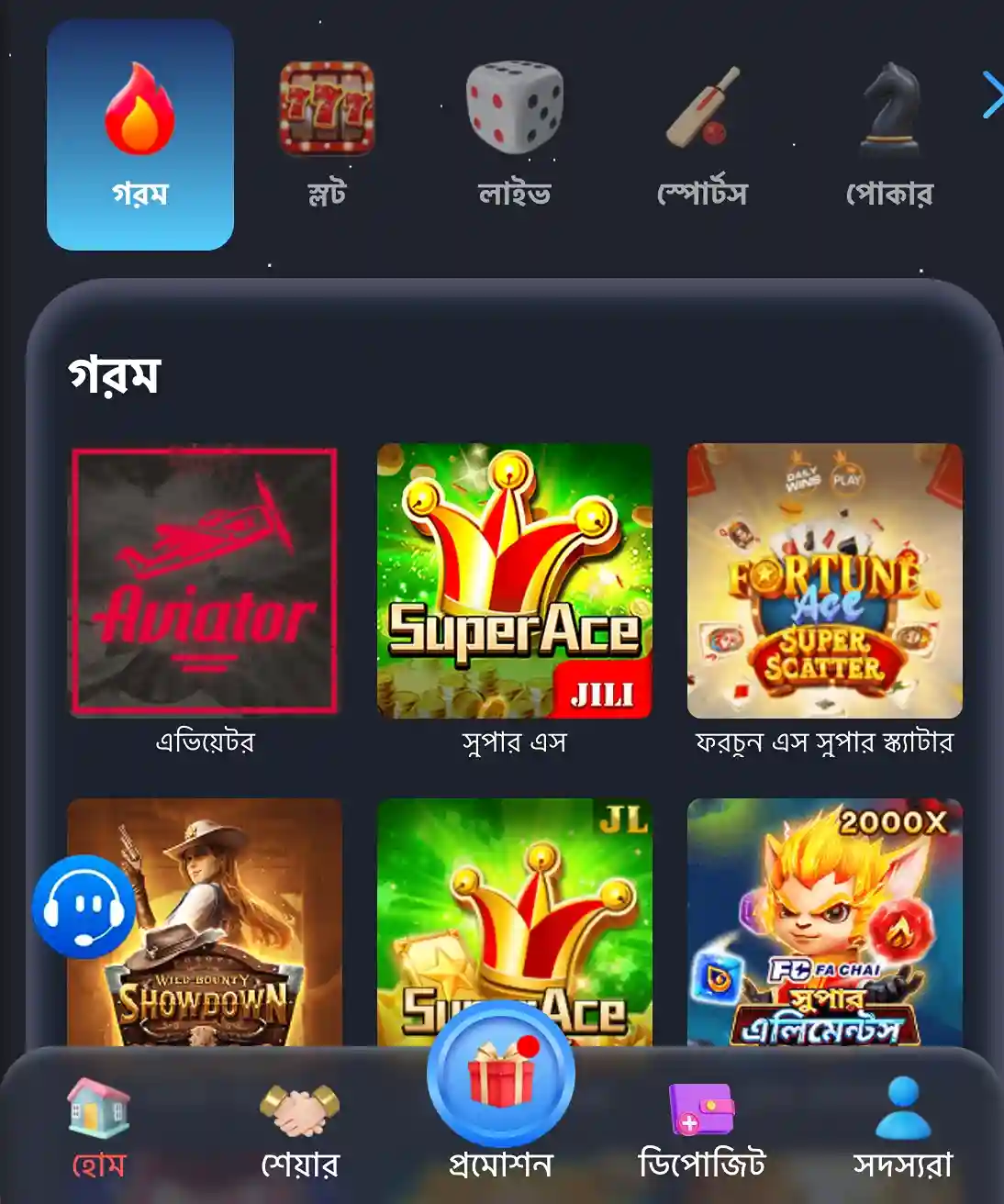
Core mobile features that save time and keep you closer to the action
- Fast loads on 4G/3G with smart caching and compact screens.
- One-tap TK11 login with biometrics and OTP support.
- Push notifications for match starts, results, bonuses, and updates.
- Clean bottom menu, larger buttons, and clutter-free browsing.
- Cricket hub with live scores, quick markets, and alerts.
- JILI slots quick-launch with recent game resume and clear balances.
- In-app help chat and quick links to verification and settings.
- Data saver toggles and image controls for low-bandwidth times.
Exclusive app bonuses, reload deals, and alerts you do not want to miss
Open the app to check current campaigns, including the TK11 welcome offer for new accounts. See clear terms on the promo screen before you start.
Stay notified about TK11 bonus drops, reload boosts, and time-limited vouchers. Get instant alerts for cricket series specials and JILI tournaments so you can act quickly.
Prefer low noise? Tweak promo notifications by category. Keep score alerts on, mute others, and review offers anytime in the promo center.
Safe installation habits and update tips for a clean, verified TK11 app
Download only from official TK11 pages. Check the app icon, publisher name, and version notes before installing. Avoid third-party mirrors and “mod” files.
On Android, enable “install from this source” only for your browser, then disable it after the APK is installed. Review permissions and keep them minimal.
On iOS, follow the on-screen steps shown by the official installer. If you see a profile prompt, read it carefully and confirm the correct developer.
Update the app when prompted to get security fixes and fresh features. Do not use cleaners that remove app data, or you may need to sign in again.
Never share OTP codes or passwords. Keep your profile verified and ensure your payment name matches your account name before confirming.
Common questions about downloading, installing, and using the TK11 mobile app
How do I download the TK11 APK on Android?
Visit the official app page, tap Download APK, then open the TK11 apk file. Allow your browser to install from this source and proceed.
Is there an iOS version of the TK11 mobile app?
Yes. If available on the App Store, tap Get. If shown a profile installer from the official site, follow the on-screen steps and confirm the developer.
How can I confirm the app I installed is official and safe?
Install only from official pages, check the icon and publisher, and compare the version shown in the app with the version posted on the site.
Why should I use the app instead of browsing the site on my phone?
The app loads faster, saves data, supports biometrics, and sends match and offer alerts. It also keeps your most-used sections one tap away.
What should I do if the install fails or the app will not open?
Reboot your phone, clear old installers, and try again from the official page. On Android, recheck install-from-source. On iOS, recheck the profile trust.
Ready to play on mobile with faster access and trusted verification steps
Install the app now for quick cricket updates, JILI slots, and fast support. Your account and settings stay synced across devices after sign-in.
Start your TK11 app download and get closer to every over, offer, and game. Open the app, complete login, and enjoy a mobile experience built for speed.