
Open Your TK11 Account: Fast Mobile Sign-Up Guide
Fast mobile sign-up with verification and local standards for TK11 accounts
TK11 register takes minutes on mobile with OTP and a short, clear form. Your profile name should match your payment name to keep withdrawals smooth. We use phone verification, device checks, and encrypted logins to protect every new account.
Start on the TK11 Official Website or use the app on your phone. The layout is built for small screens and quick taps. Get verified, set a strong password, and explore cricket markets and JILI slots right away.
Why creating a TK11 account benefits mobile players and frequent bettors
Signing in as a guest is limiting. When you create TK11 account access, you unlock security features, full betting options, and faster support.
Verified payments that match your legal name
Keep payouts quick by matching your profile name to your wallet or bank name. This reduces review time and avoids failed withdrawals.
Fast mobile performance and data-saving pages
Pages load fast on common BD networks. Clean screens, tap-friendly buttons, and low data use help you move quickly between markets.
Cricket odds, stats, and notifications in real time
Follow your favorite teams and series with live updates. Get quick access to pre-match and in-play cricket markets built for mobile.
JILI slots and popular tables available around the clock
Spin top JILI titles and switch to tables in seconds. Try demos, track favorites, and manage limits without leaving the game lobby.
Personalized dashboard, limits, and reminders
Save favorites, set deposit reminders, and manage risk controls. Your dashboard keeps key tools one tap away.
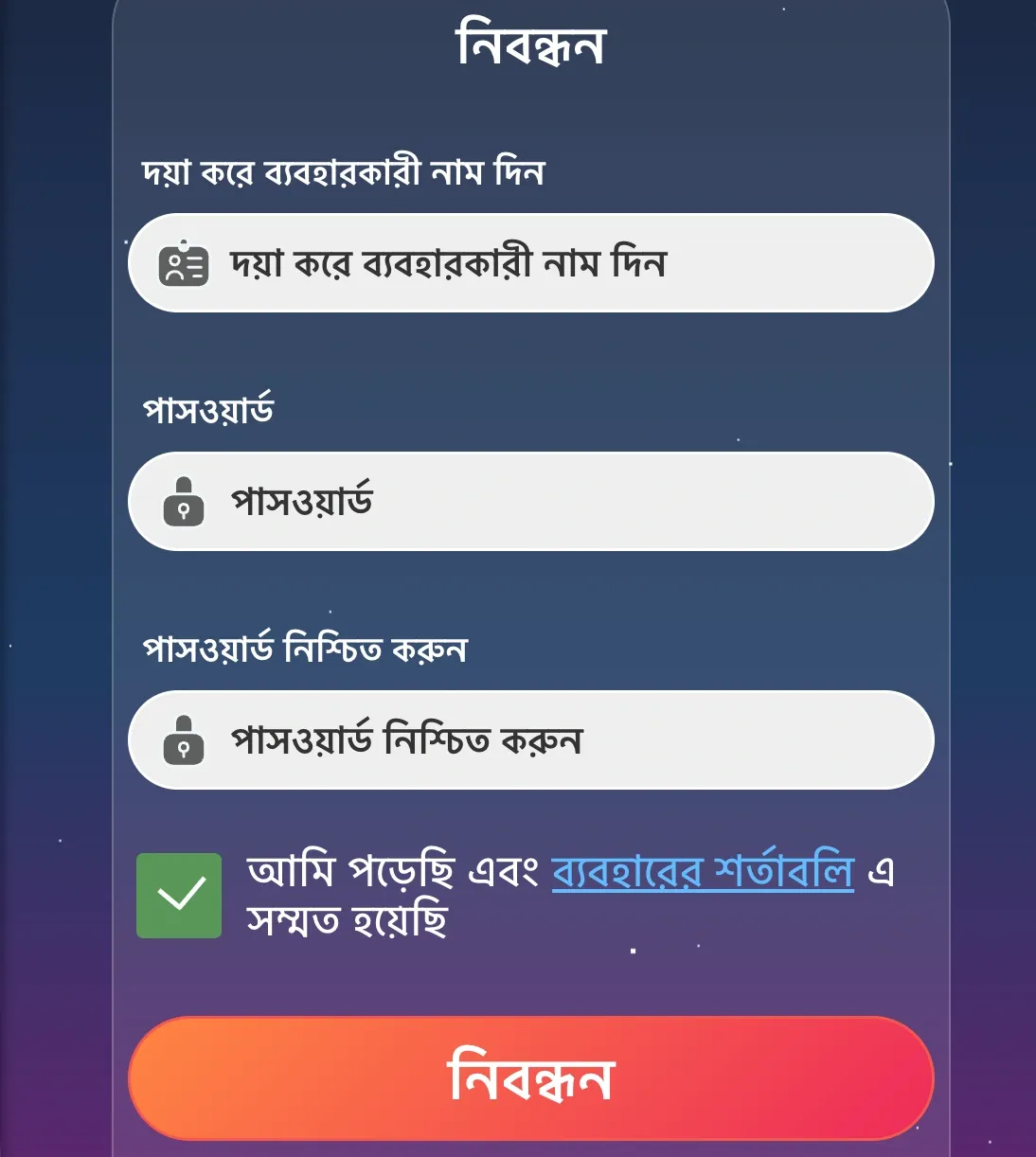
Step-by-step guide to open your TK11 account on any smartphone
- Open the site in your mobile browser or launch the app’s sign-up page.
- Enter your mobile number and request an OTP. Type the OTP to confirm your phone.
- Create a strong password. Add a quick PIN for faster login on your trusted device.
- Fill your full name and date of birth. Make sure they match your wallet or bank records.
- Accept the terms and privacy policy, and confirm you are at least 18 years old.
- Choose favorites to personalize, such as cricket leagues or JILI providers. Save your settings.
Advantages you unlock after creating your TK11 account on mobile
Registration unlocks the full suite: live cricket markets, in-play features, JILI slots, tables, and personalized tools. Your settings, limits, and favorites stay synced across devices.
New members can claim tailored deals, including the TK11 welcome offer when active. Track promos in your wallet, view wagering details, and plan play with clear terms for each TK11 bonus.
Verified profiles enjoy faster support and full payment access. Keep your details current to speed up reviews and maintain a smooth experience.
Smart setup tips for secure profiles, name match, and payout readiness
Install the mobile app for quicker access and updates via TK11 App Download. It keeps you signed in on trusted devices and reduces data use.
- Match names: use the exact same full name as your wallet or bank for payouts.
- Set strong credentials: a unique password, plus a 4–6 digit PIN for quick logins.
- Add recovery options: verify a backup email to restore access if your SIM changes.
- Lock security: enable two-step verification prompts when available and keep OTPs private.
- Prepare payments: add a preferred method such as bKash, Nagad, Rocket, or Upay for deposits and withdrawals.
- Save favorites: pin cricket series and JILI games you play often for faster navigation.
Essential account register FAQs for TK11 mobile users and first-time members
What do I need to create a TK11 account?
A mobile number for OTP, your full name, and date of birth. A recovery email helps. Use the same name as your wallet or bank.
I did not receive my OTP. What should I do?
Wait one minute and request a new code. Check signal, disable call forwarding, and confirm your number. If it persists, contact support.
Do I need verification before my first withdrawal?
Withdrawals require your account name to match your payment name. We may request ID to confirm details before releasing funds.
Which local payment methods can I use?
Supported options include bKash, Nagad, Rocket, and Upay. Add one in your wallet, make a small test deposit, and save it as preferred.
Is the app required, or can I register on the website?
You can register on the website or in the app. The app offers faster access and notifications, while the website works in any browser.
Ready to join TK11 today and start faster with verified mobile access
Create your profile now and lock in safer, faster access on your phone. Tap TK11 Register, confirm your OTP, and you are set to explore.
Pick your cricket favorites, try JILI slots, and personalize your dashboard. Keep your name matched for payouts, and enjoy quick logins wherever you play.